 Tips & Strategies
Only Unseen Questions: No More Repeats at Your Quiz Night
If you play Quizpoker regularly, you know the moment: a question appears and someone at the table shouts “We had that one last Friday!”. Now you can switch that off. With the new “Only unseen questions” setting, Quizpoker only shows estimation questions your group has not seen yet. It works in the browser in Singleplayer and, with the next app update, on iPhone and Android too.
Why It Matters
An estimation question only works if nobody knows the answer. Once the reveal is still in someone's head, there is nothing left to estimate, and whoever remembers the number simply goes all in. A regular group that plays every week runs into this faster than you would think, especially with only a few categories selected.
That is why we now remember every question delivered to your access. This always happens, even while the setting is off. If you switch it on later, the questions from your last evenings are already left out.
How to Switch It On
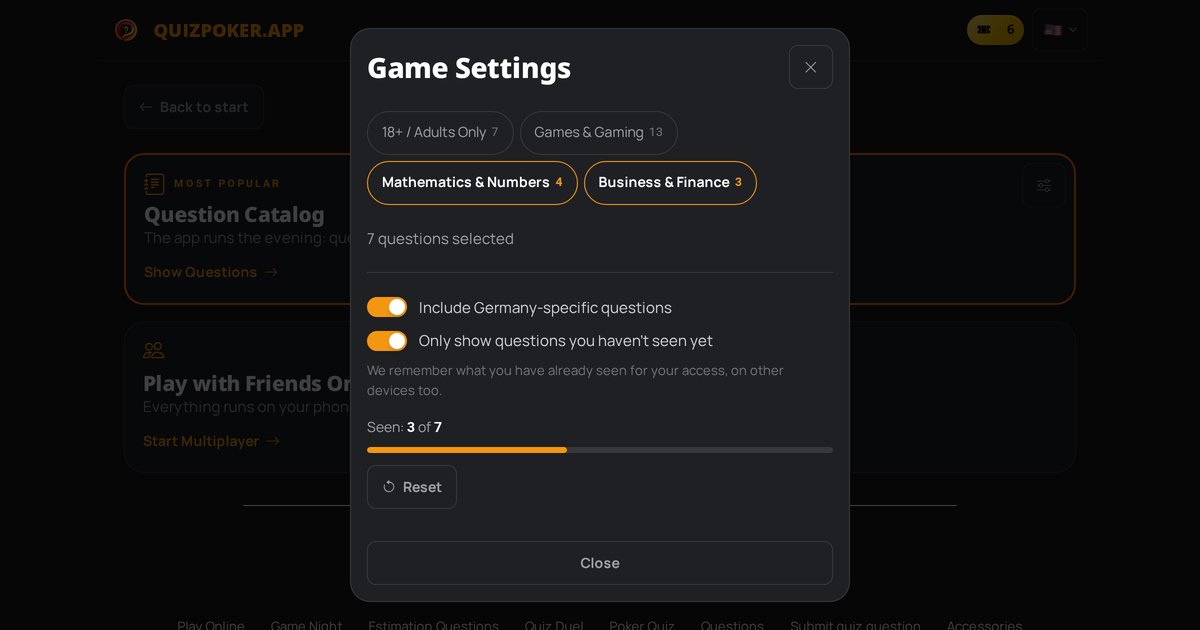
- Open Quizpoker in the browser and tap Settings.
- Pick your categories as usual and decide whether Germany-specific questions should be included.
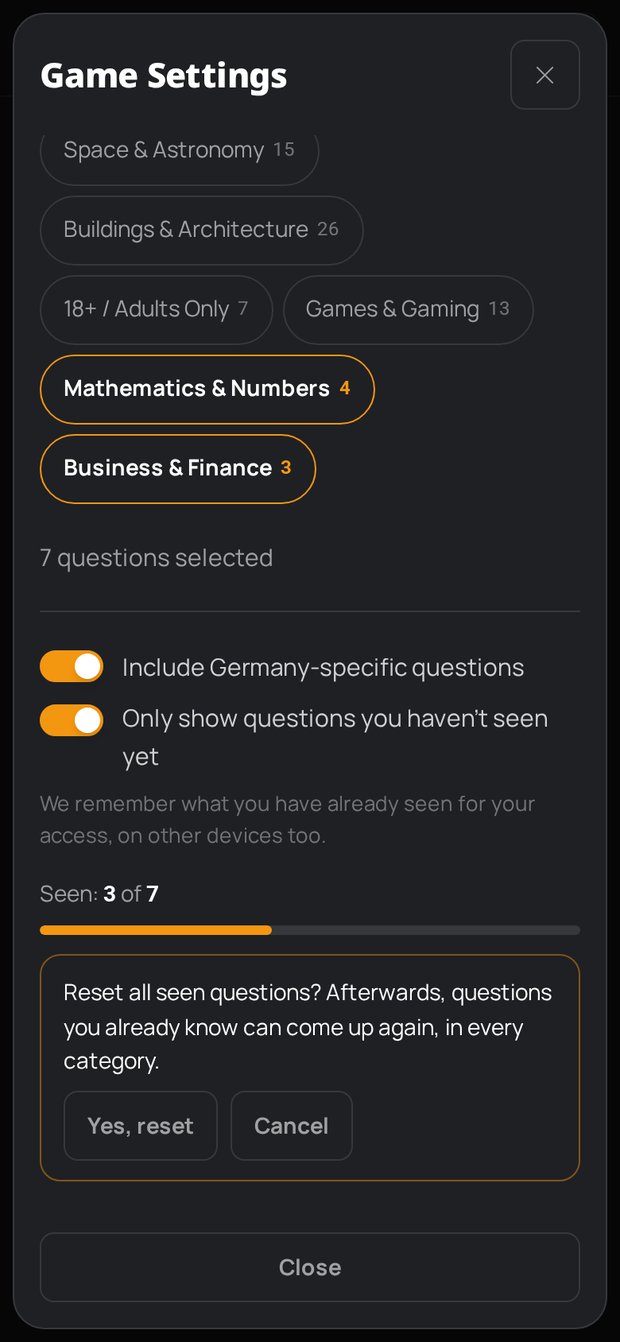
- Below that, switch on “Only show questions you haven't seen yet”.
- Tap Close and start the game.
If you change the settings in the middle of a game, they apply from the next question. In the app, the switch sits in the settings sheet and works the same way.
The switch itself is stored per device, just like your categories. What you have seen, on the other hand, belongs to your whole access.
The Progress Bar
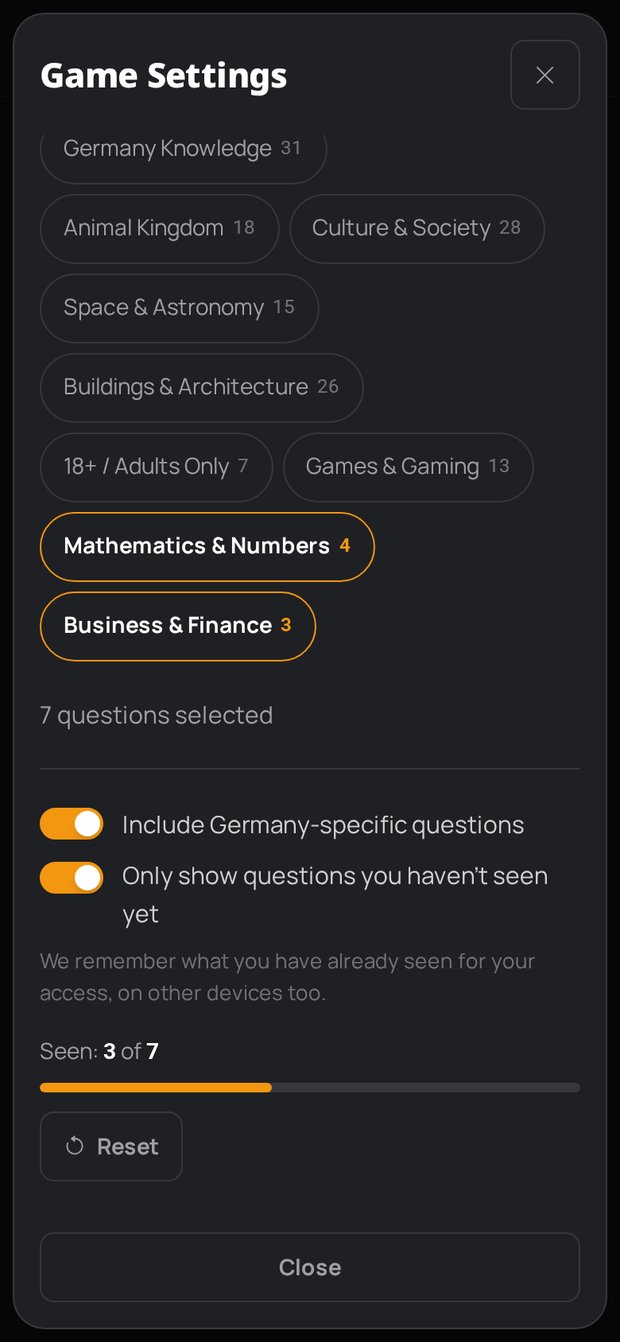
Below the switch you can see how much of your current selection you already know, for example “Seen: 3 of 7”. The bar always refers to the categories and the Germany setting that are active right now. Add a category and the second number grows immediately. That way you can tell before the evening whether your selection still has enough fresh questions, or whether you should add a few categories.
How many questions there are overall, and in which categories, is on the estimation questions page.
Resetting
Next to the bar sits the Reset button. Before anything happens, Quizpoker asks: “Reset all seen questions?” Confirm with Yes, reset and every question counts as new again, in all categories, not just your current selection. Cancel leaves everything as it was.
This is handy when a new group plays with you that has never seen the questions.
When You Have Seen Everything
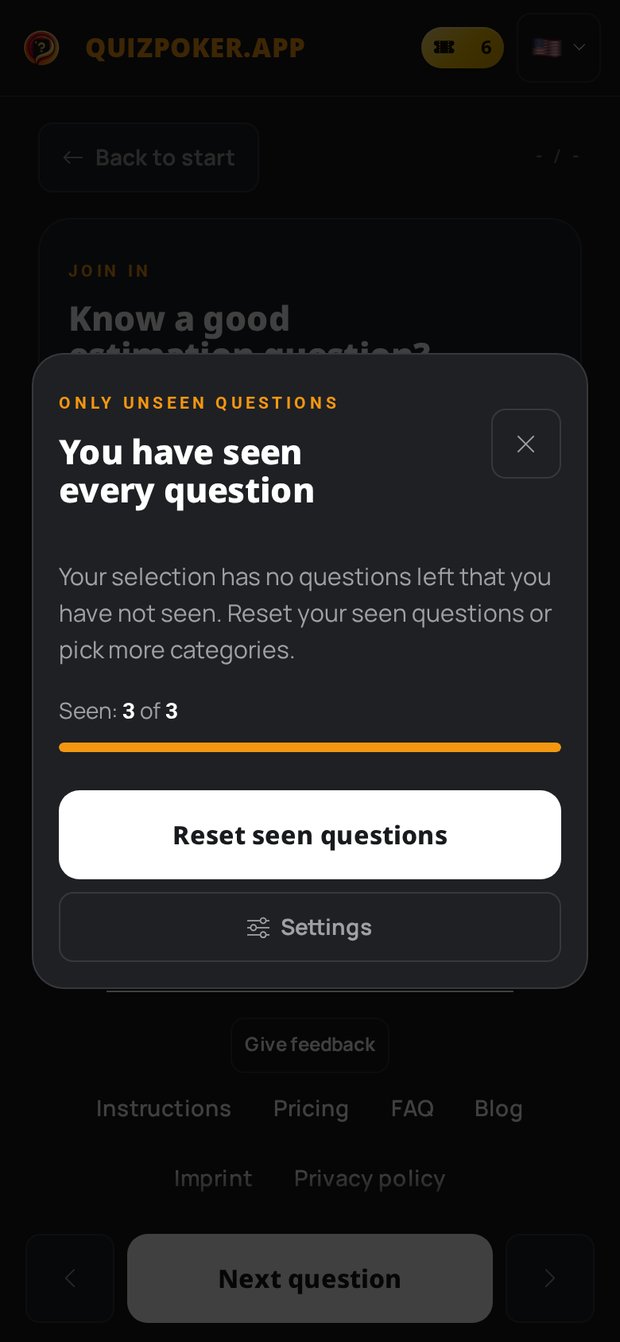
Once you have played every question in your selection, Quizpoker does not slip you a repeat. Instead, the game shows the notice “You have seen every question” with two actions:
- Reset seen questions clears the list and fetches the next question right away.
- Settings opens the menu so you can add more categories. After that, the game continues with a new question.
The notice costs you nothing. No question is deducted from your access for it.
On Every Device, With Your Access Code
The list of seen questions is not stored in your browser but on our side, linked to your access. Enter your access code on another device and the list comes along. Whether you play in the browser on quizpoker.app, with the iPhone app or with the Android app: a question you saw on your laptop will not show up again on your phone.
Does this work in Multiplayer too? No, “Only unseen questions” is available in Singleplayer and in the app, so everywhere one device asks the questions for the whole group.
In Short
- Open the settings, switch on “Only show questions you haven't seen yet”, play.
- The bar shows how much of your selection you have already played.
- Reset makes every question new again, after a confirmation.
- Once everything is seen, you get a notice instead of a repeat.
- The list follows your access code to every device.
No access yet? Three questions free, unlimited after that. All passes are on the pricing page. Then start a game and get back to estimating instead of remembering.
Tags
nur ungesehene fragen schätzfragen spieleabend quiz app einstellungen singleplayer